Overview
Kerio Control physical devices, such as NG100/NG100W/NG110, NG300/NG300W/NG310, and NG500/NG510/NG511 might stop working. The common problems include issues with Internet network performance or LAN ports ping, LED lights showing as off. Moreover, it can have startup/boot, switch on, reboot issues caused by Power.
The hardware failure leads to a complete network outage, affecting all company connections.
In such cases, if the faulty box is eligible by warranty policies (including extended warranty), the replacement box can be issued.
Prerequisites
- Physical (onsite) access to the Kerio Control hardware box and the hardware box serial number:
- Valid (NOT expired) warranty for the device. Contact GFI Sales if the hardware warranty is expired.
📍 Important: you're NOT entitled to request RMA for legacy hardware boxes (1120, 3130, etc) as they are announced as EOL.
Process
📌 The Kerio Control NG120 box will not boot or display video output if a DisplayPort to HDMI or similar adapter is used. This is expected behavior and not a hardware fault.
✅ To view video output, use a DisplayPort-to-DisplayPort cable connected to a monitor that supports DisplayPort directly.
❌ Do not request RMA for NG120 units based on this issue.
Please verify the cable and monitor setup before proceeding with diagnostics or RMA requests.
- Perform a factory reset of the box. If still not functioning, execute complete system recovery (kerio-control-rescue). For more information, please refer to Restoring the Kerio Control Box NG series default configuration.
Important: please observe the box behavior for a couple of hours to verify the box is still not functioning correctly.
- Gather diagnostic logs if applicable. For more information, please refer to the Diagnostic tool for Kerio Control Box NG series.
- Describe the symptoms with the hardware in a detailed and precise manner. It is required to provide a video of the physical problem or unexpected behavior.
- Provide the company and shipping details:
- License key (if applicable)
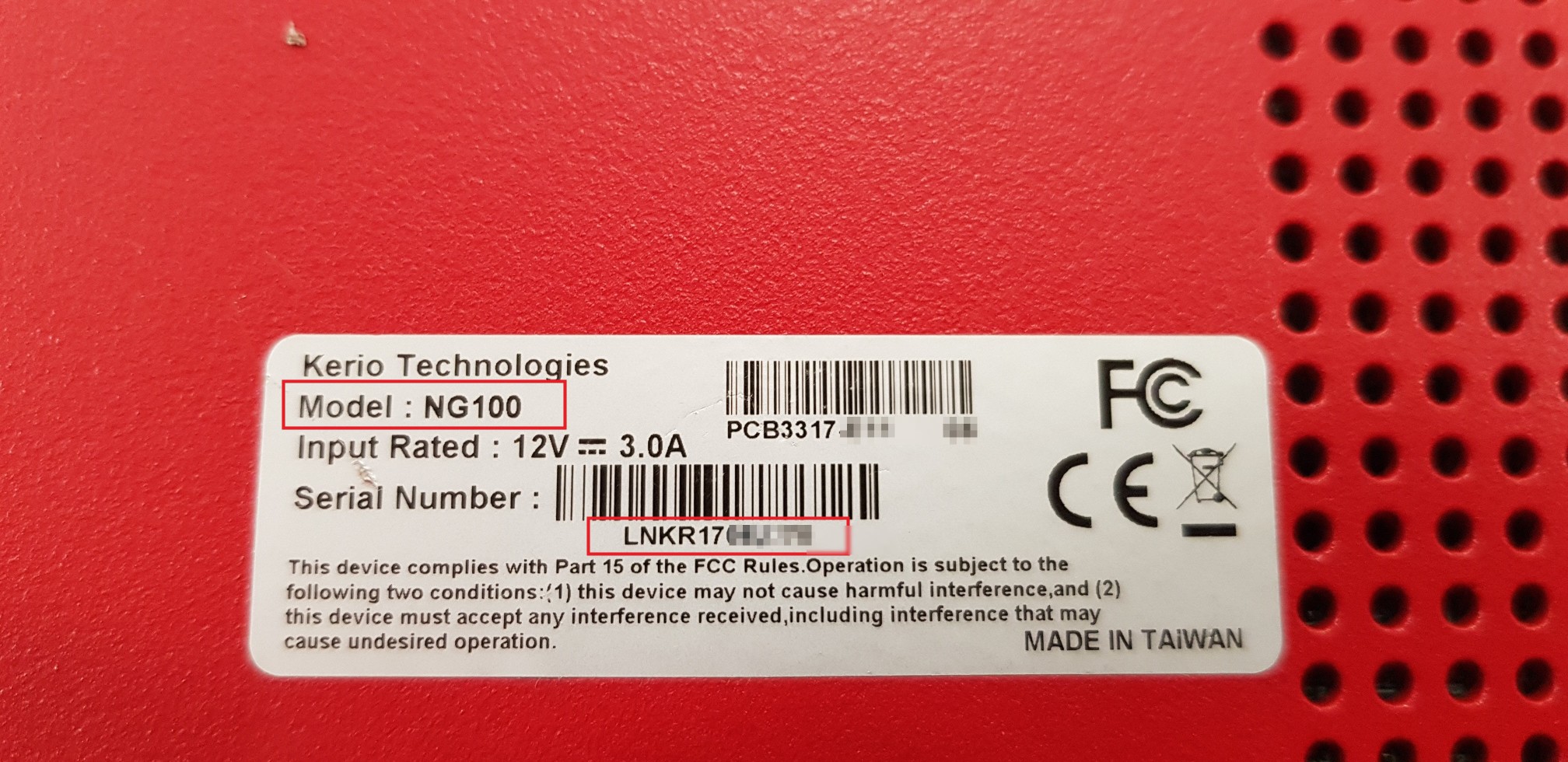
- Serial Number (located at the back)
- Company name
- Contact name
- Contact phone number
- Contact e-mail address
- Shipping Address
= Address
= Zip Code
= City
= Country - Zip the diagnostic logs (if generated) and provide all required information to Kerio Control Support.
- Once the Support agent processes the RMA and you receive the replacement box, send the broken box back to the provided address.
Ciprian Nastase
Comments